If I want to sidechain a compressor, I have to manually set up a chain, and can only do so from the output of another channel. Now, if we wish to e.g. sidechain a compressor to e.g. a kick in another track, but want to take the signal from part of the FX chain, we have to split the track's FX chain into two separate tracks, disable the parent send on the first, and send it to the second (or make it a sub-track of the first), and manually create a send from the first track to a spare set of channels on the track with the compressor. Likewise with MIDI.
This is too awkward to be worth the effort in most cases. But in Ableton and Bitwig it is easy: we can select the source of the sidechain from a menu and, within Ableton, we can select where in the chain we want to take it from.
On a signal-processing level, this is possible, since we can do it manually. But the wish is to make it automatic.
In addition, being able to add a plugin (even JSFX), and being able to just select inputs and a send source for them, rather than manually creating new channels and track sends, would be nice.
Bitwig
Consider this example from Bitwig (this is a screenshot from Protoculture's Trance Takover 2023 tutorial):
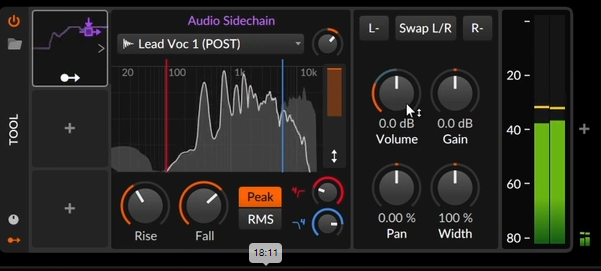
Here we just select the source channel in a dropdown and everything else is automatically done for us. If we deselect a source channel, the send is removed. This makes for a far quicker workflow than we have in Reaper.